Coach overview
As a coach you get two navigation entries that athletes do not see.
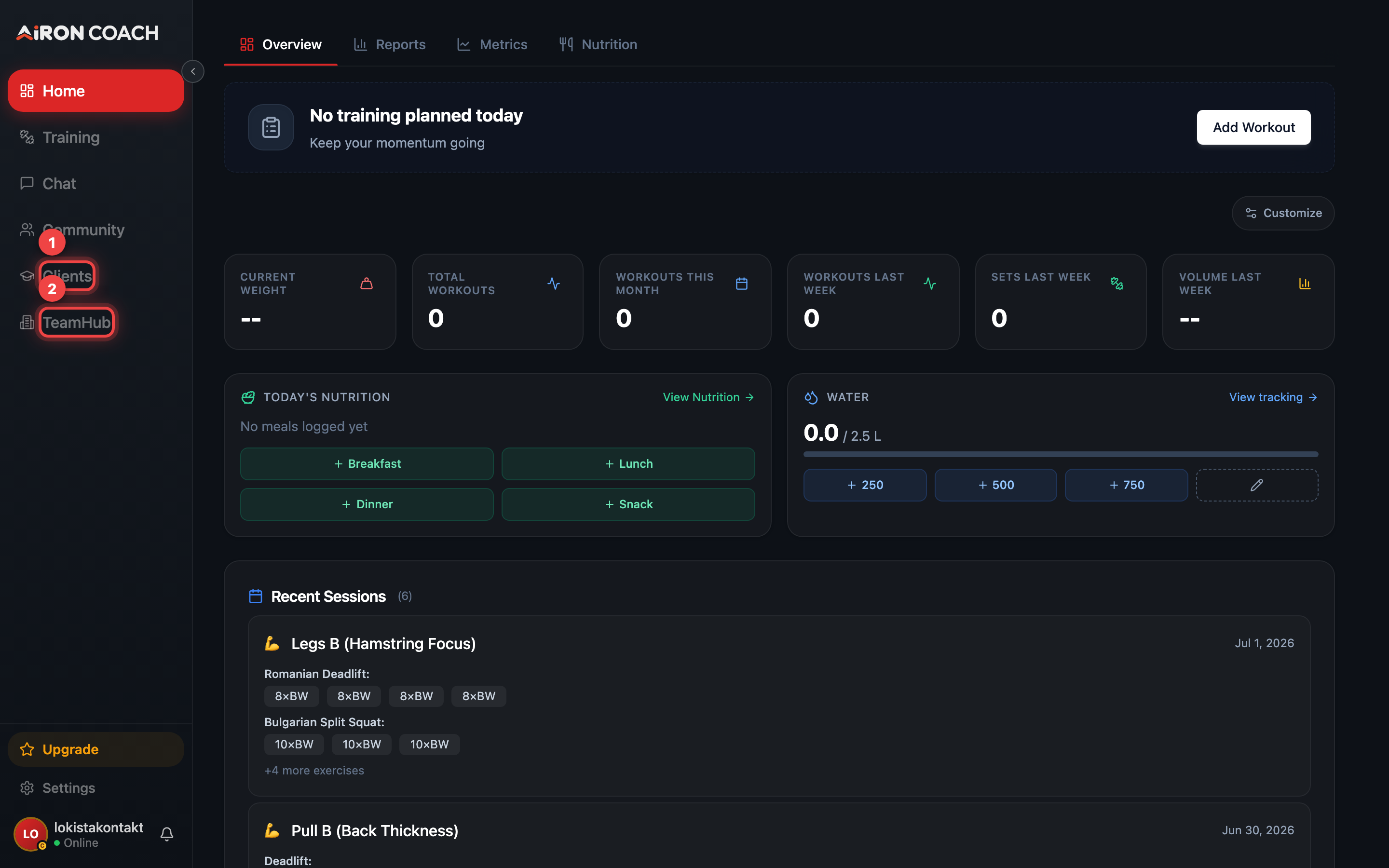
- Callout 1: Clients — your trainees
- Callout 2: TeamHub — team settings, inbox and offers
airon.coach · · 9cb414d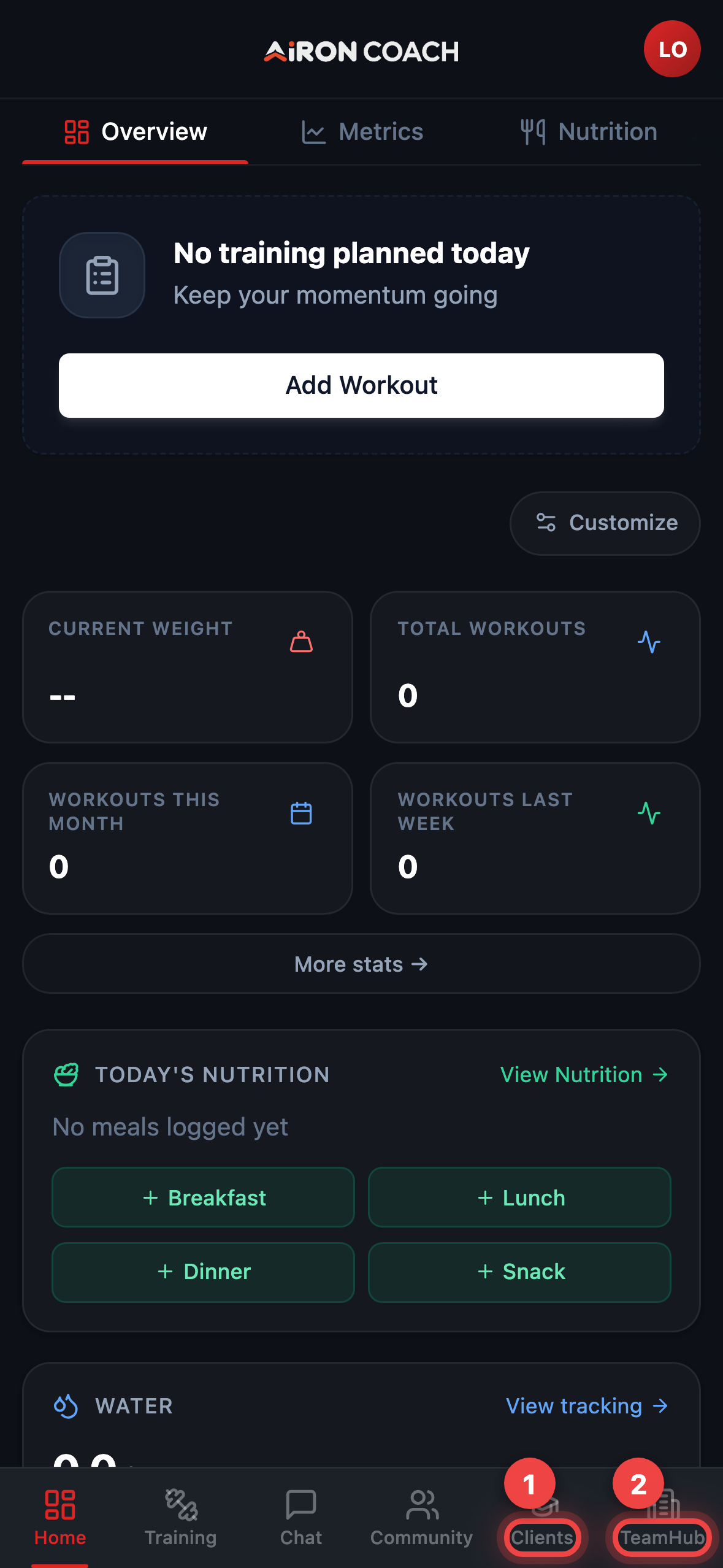
- Callout 1: Clients — your trainees
- Callout 2: TeamHub — team settings, inbox and offers
airon.coach · · 9cb414d| Entry | Route | What you do there |
|---|---|---|
| Clients | /Trainees |
Your individual trainees — invite them, review their training, and build their plans. |
| TeamHub | /TeamHub |
The team itself: enquiries from your public page, your public profile, your offers, members and roles, and team settings. |
Inside TeamHub
Section titled “Inside TeamHub”TeamHub is organised into sections:
- Dashboard — team overview
- Inbox — enquiries from your public team page
- Profile — your public team page
- Offers — the services and prices you publish
- Community — team community surface
- People and Clients — members, roles and trainees
- Settings — team configuration
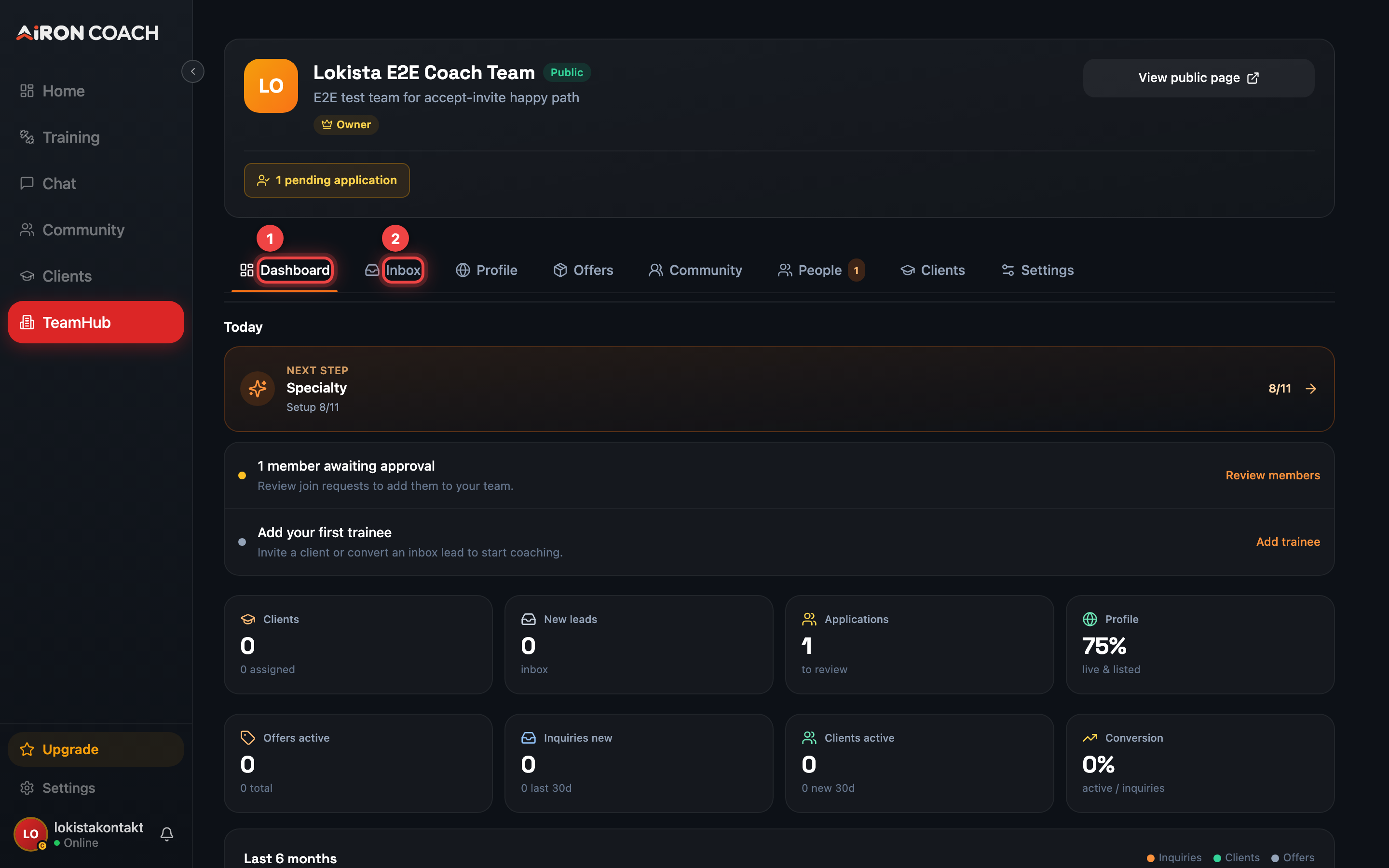
- Callout 1: Team sections
- Callout 2: Inbox — enquiries from your public page
airon.coach · · 9cb414dHow many trainees you can take
Section titled “How many trainees you can take”Your trainee cap is a total across all your teams, not per team, and depends on your plan: 3 on Free, 10 on PRO, 50 on ELITE. You can own 1, 3 or 5 teams respectively.
The cap is enforced when you invite or approve someone. See Plans, limits and AI credits for the full table.
Payments are not live yet
Section titled “Payments are not live yet”You can publish a price list on your public team page, but visitors cannot check out in-app today. They see your prices and send an enquiry with Ask about this offer, which arrives in your TeamHub Inbox, and you arrange payment yourself.