Active workout
The live player opens at /ActiveWorkout when the active_workout feature flag is on
(it defaults on in the current build; operators can kill it with the
ACTIVE_WORKOUT_ENABLED environment variable set to false on the server).
Start or resume
Section titled “Start or resume”From Home, today’s card shows Start Workout or Resume Workout. From Training / the calendar you can also use Start session or Resume.
If a session is already in progress elsewhere in the app, a sticky banner shows Workout in progress with a Resume action so you can jump back without hunting through the calendar.
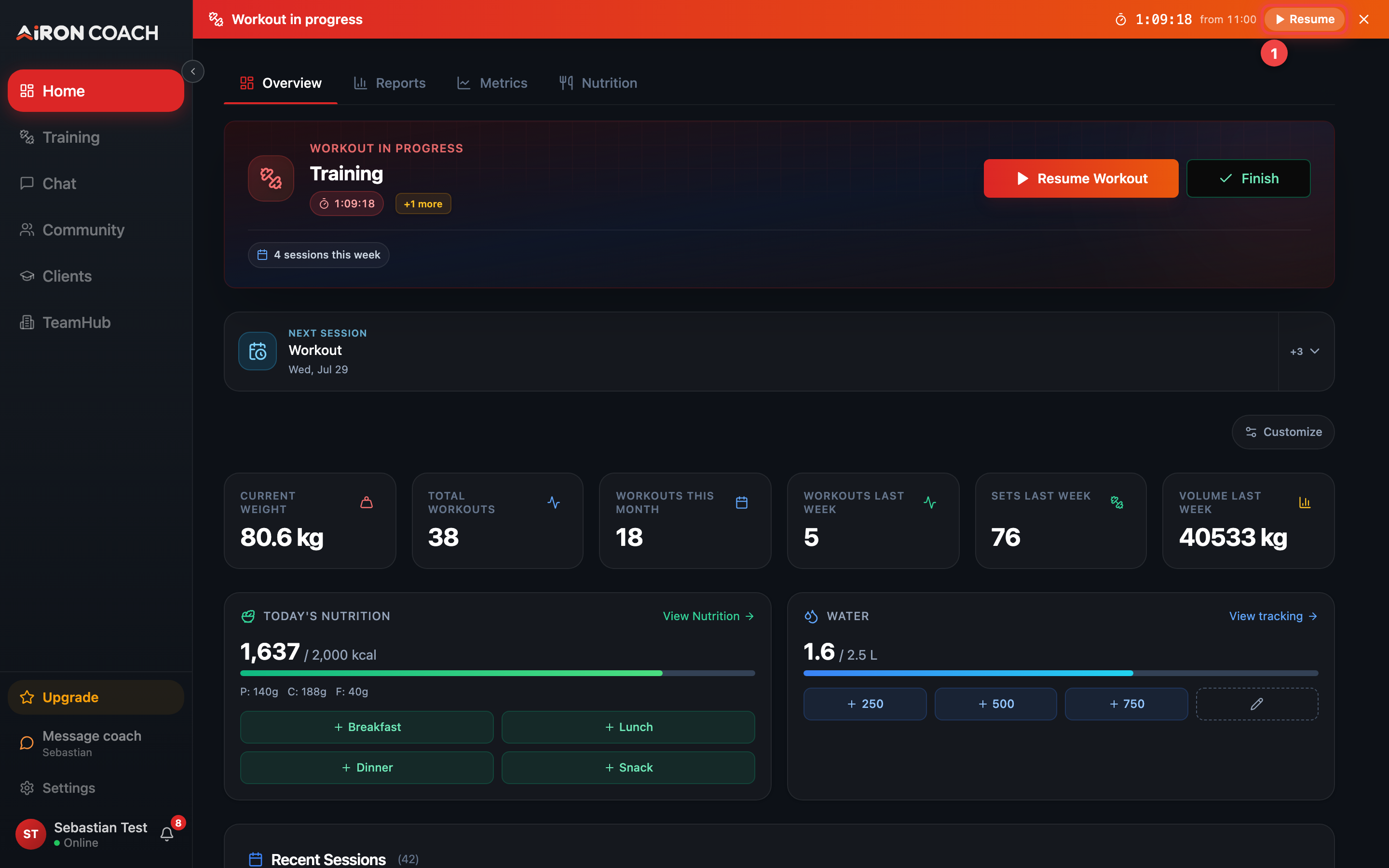
- Callout 1: Resume the workout you left mid-session
airon.coach · 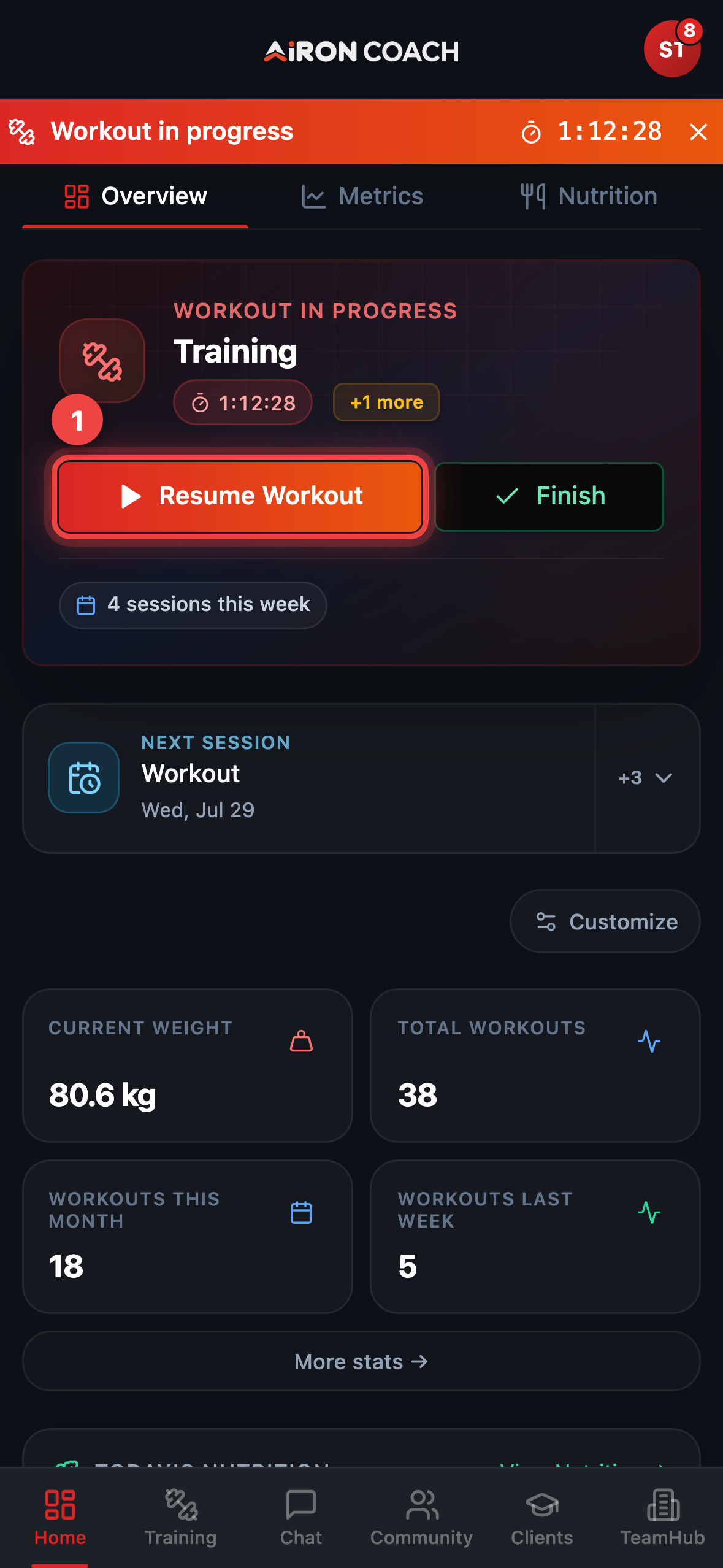
- Callout 1: Resume the workout you left mid-session
airon.coach · During the session
Section titled “During the session”Typical player controls include:
- Pause — pause rest / session timing
- Per-set completion controls on each exercise card
- Add Exercise when you need another movement mid-session
- Finish Workout — complete the session
- Discard workout — remove the open session and its logged sets (the player asks you to confirm discard)
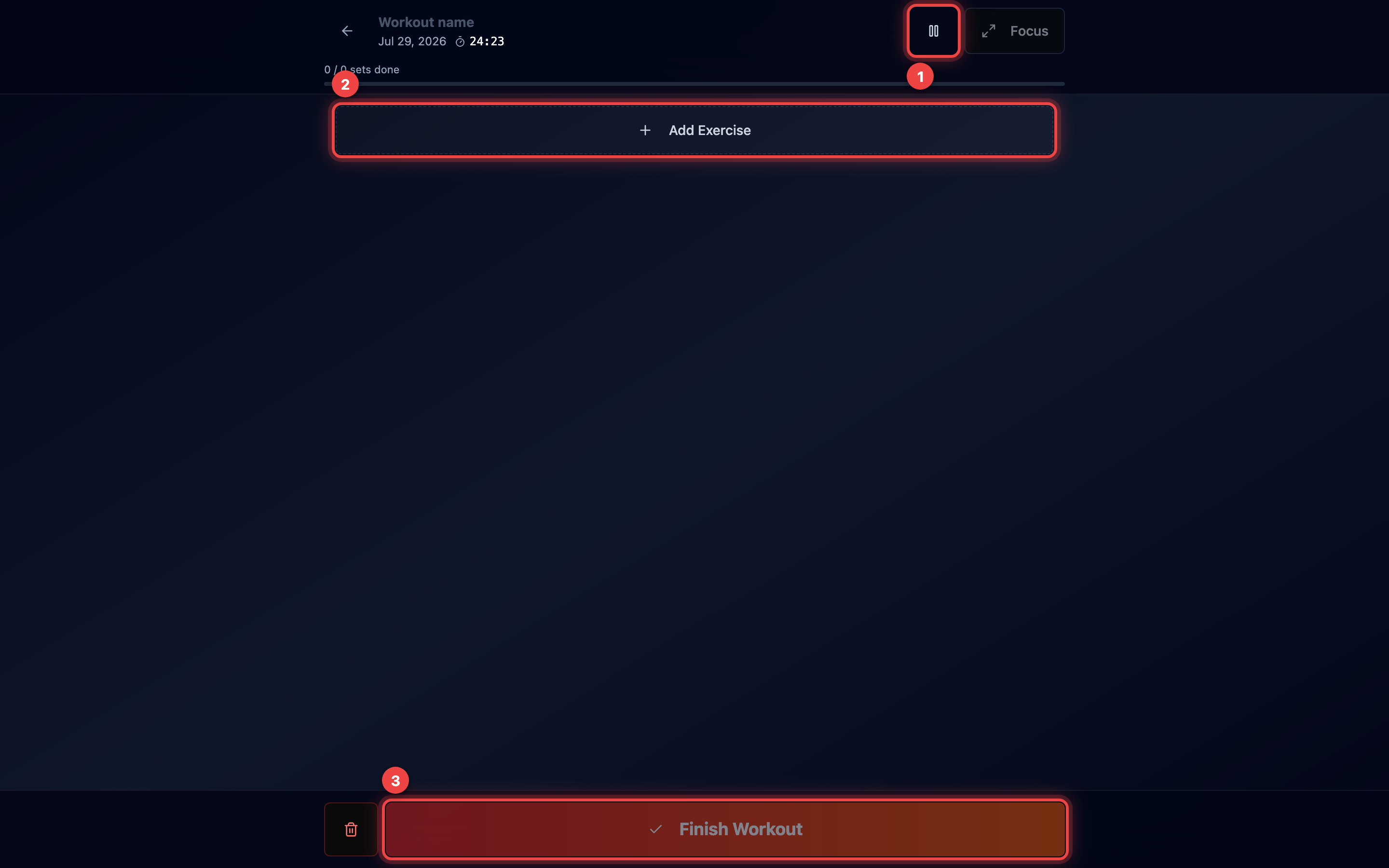
- Callout 1: Pause the session timer
- Callout 2: Add an exercise mid-session
- Callout 3: Finish and save the workout
airon.coach · · 9cb414d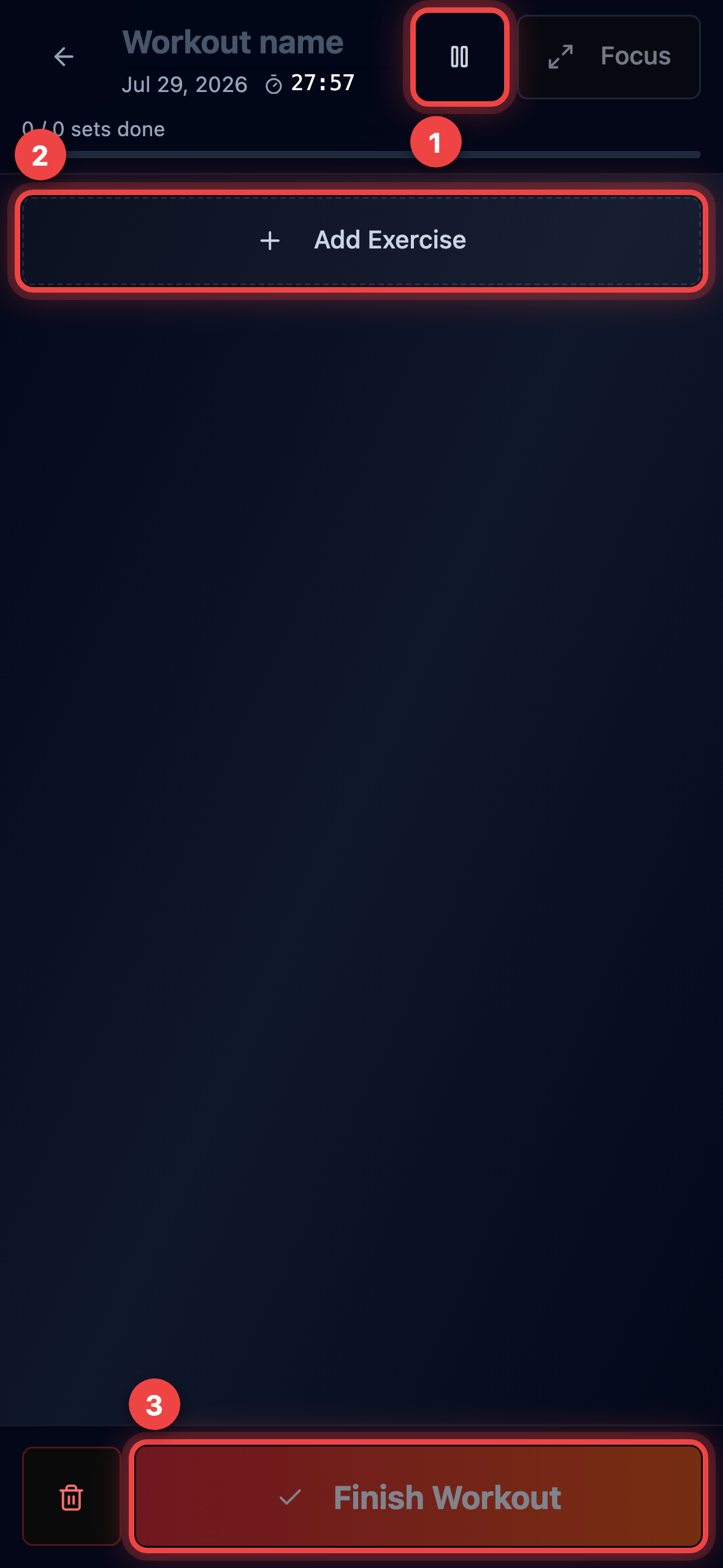
- Callout 1: Pause the session timer
- Callout 2: Add an exercise mid-session
- Callout 3: Finish and save the workout
airon.coach · · 9cb414dLeaving the player does not cancel the session — the banner keeps Resume available.
Finishing with unfinished sets
Section titled “Finishing with unfinished sets”If some sets are not marked done, the player warns you and offers Mark all done or to finish anyway while leaving those sets unperformed. An empty session asks you to confirm before completing with no sets logged.