Home and progress
Home (/Home) is the place you land after onboarding. Prefer this URL over older
bookmarks to /Dashboard — that path redirects here.
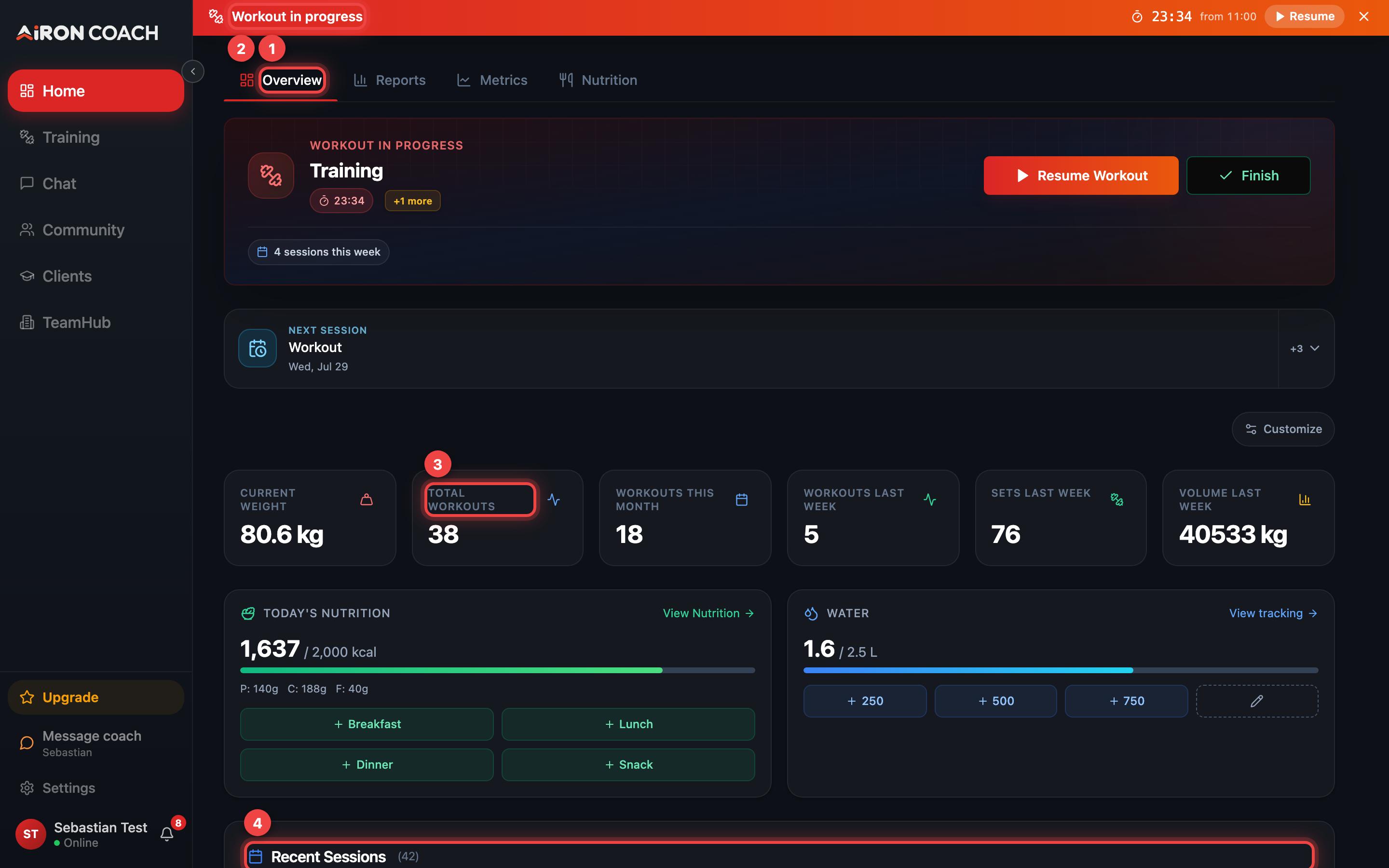
- Callout 1: Switch between your dashboard views
- Callout 2: Today's session — Start or Resume
- Callout 3: Your headline numbers
- Callout 4: Recent sessions with volume per session
airon.coach · · 9cb414d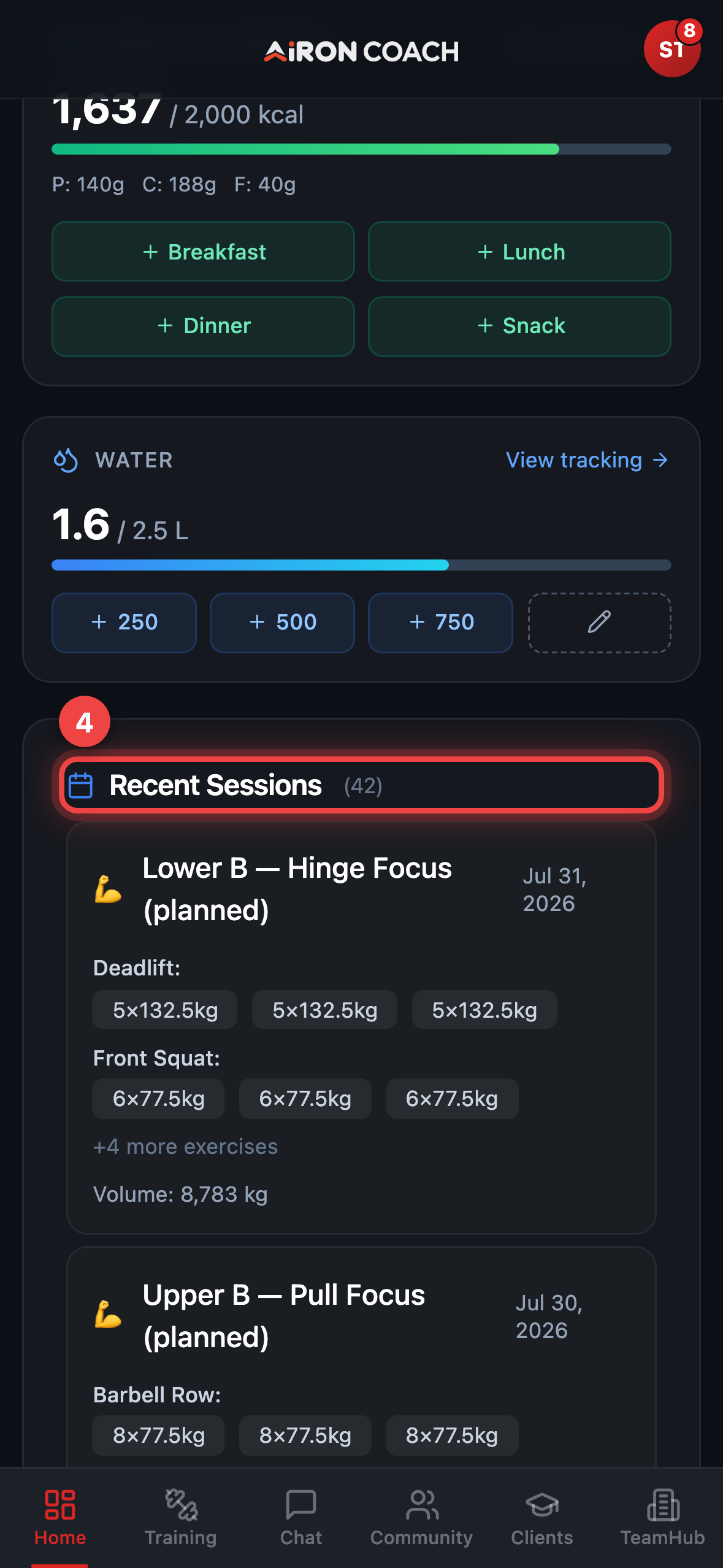
- Callout 1: Switch between your dashboard views
- Callout 2: Today's session — Start or Resume
- Callout 3: Your headline numbers
- Callout 4: Recent sessions with volume per session
airon.coach · · 9cb414dTabs on Home
Section titled “Tabs on Home”| Tab | What you see |
|---|---|
| Overview | Today’s session card (Today’s Training or Workout in progress), headline tiles, Recent Sessions |
| Reports | Deeper training reports (also reachable at /Reports) |
| Metrics | Body metrics and trends (/Home#metrics or /Metrics) |
| Nutrition | Embedded nutrition day view when the nutrition pillar is enabled |
On smaller screens some tabs may be condensed; Overview always remains the starting point. Use Start Workout or Resume Workout on today’s card when a plan exists.
Achievements and custom reports
Section titled “Achievements and custom reports”- Achievements (
/Achievements) — unlocks tied to your logging history. - Custom reports (
/CustomReports) — available when the product flag for custom reports is enabled for your account. If you do not see the entry, the flag is off.