Training and the calendar
Open Training (/Training). The hub has three tabs:
- Calendar — month/week view of planned and completed sessions
- Exercises — exercise library (also under
/Training#exercises) - Templates — reusable workout templates (
/Templates)
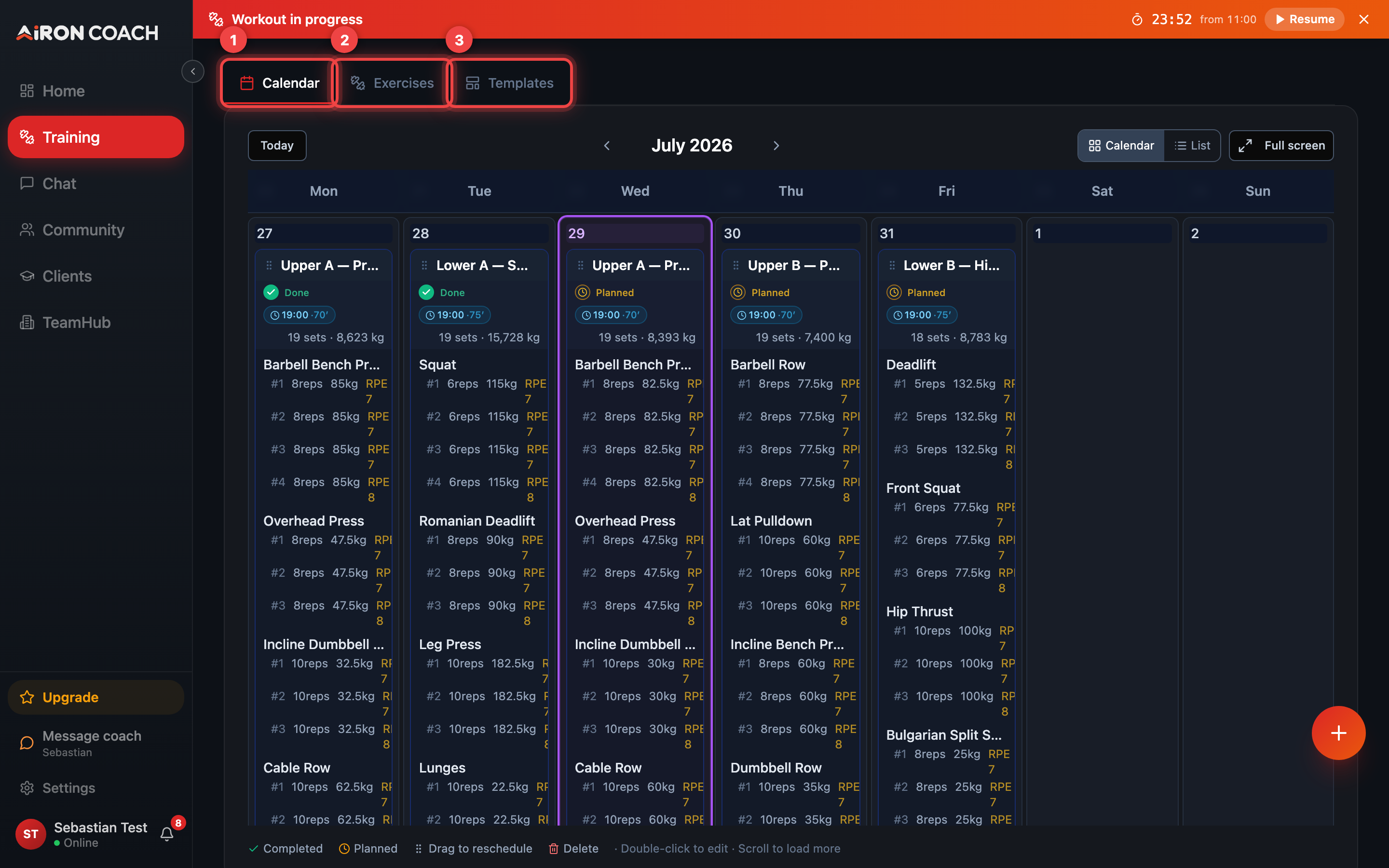
- Callout 1: Calendar
- Callout 2: Exercises
- Callout 3: Templates
airon.coach · · 9cb414d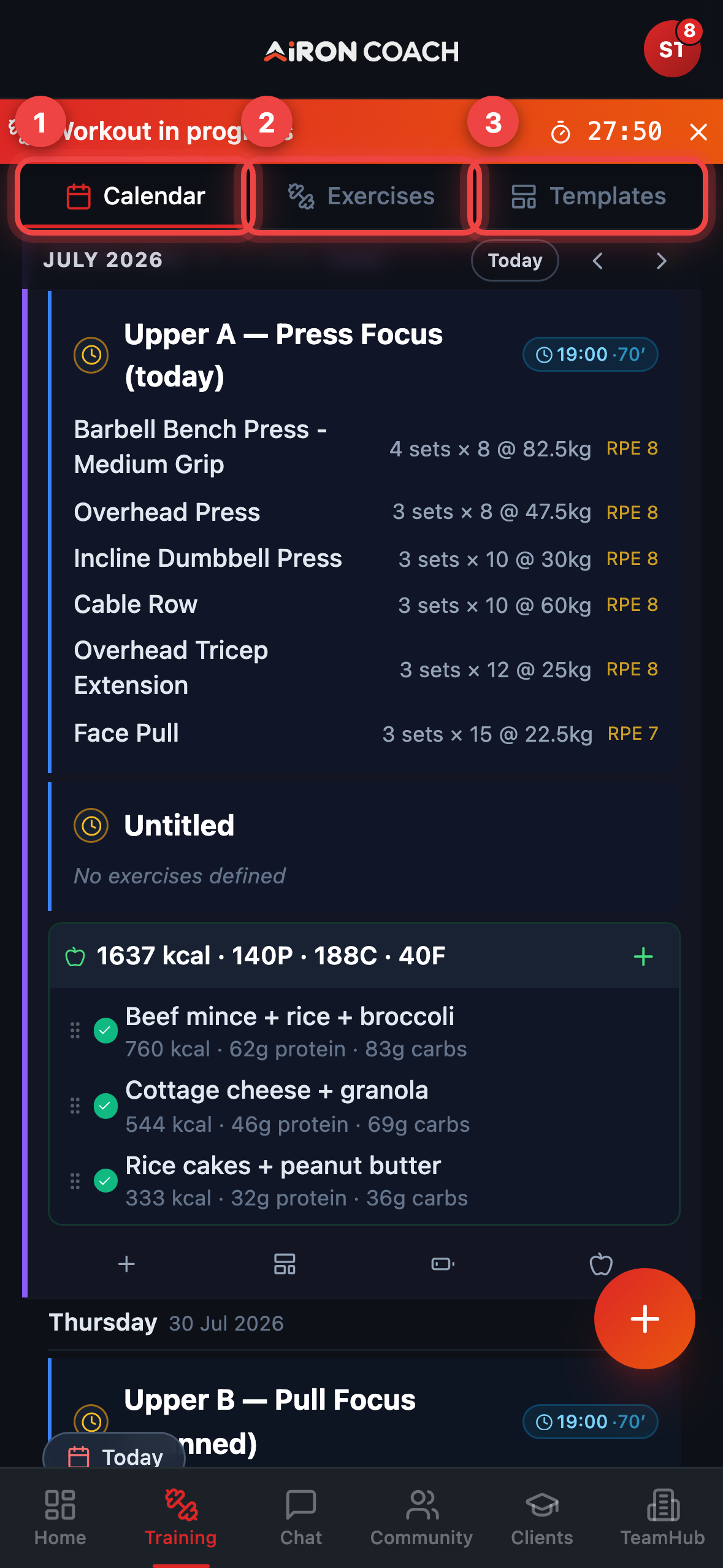
- Callout 1: Calendar
- Callout 2: Exercises
- Callout 3: Templates
airon.coach · · 9cb414dLog a session
Section titled “Log a session”From Training, use Log workout, or open a planned day and choose Start session / Start Workout. Full set-by-set steps are in Log a workout.
For a live player with rest timers, see Active workout.
Calendar and CSV import
Section titled “Calendar and CSV import”The full calendar also lives at /WorkoutCalendar.
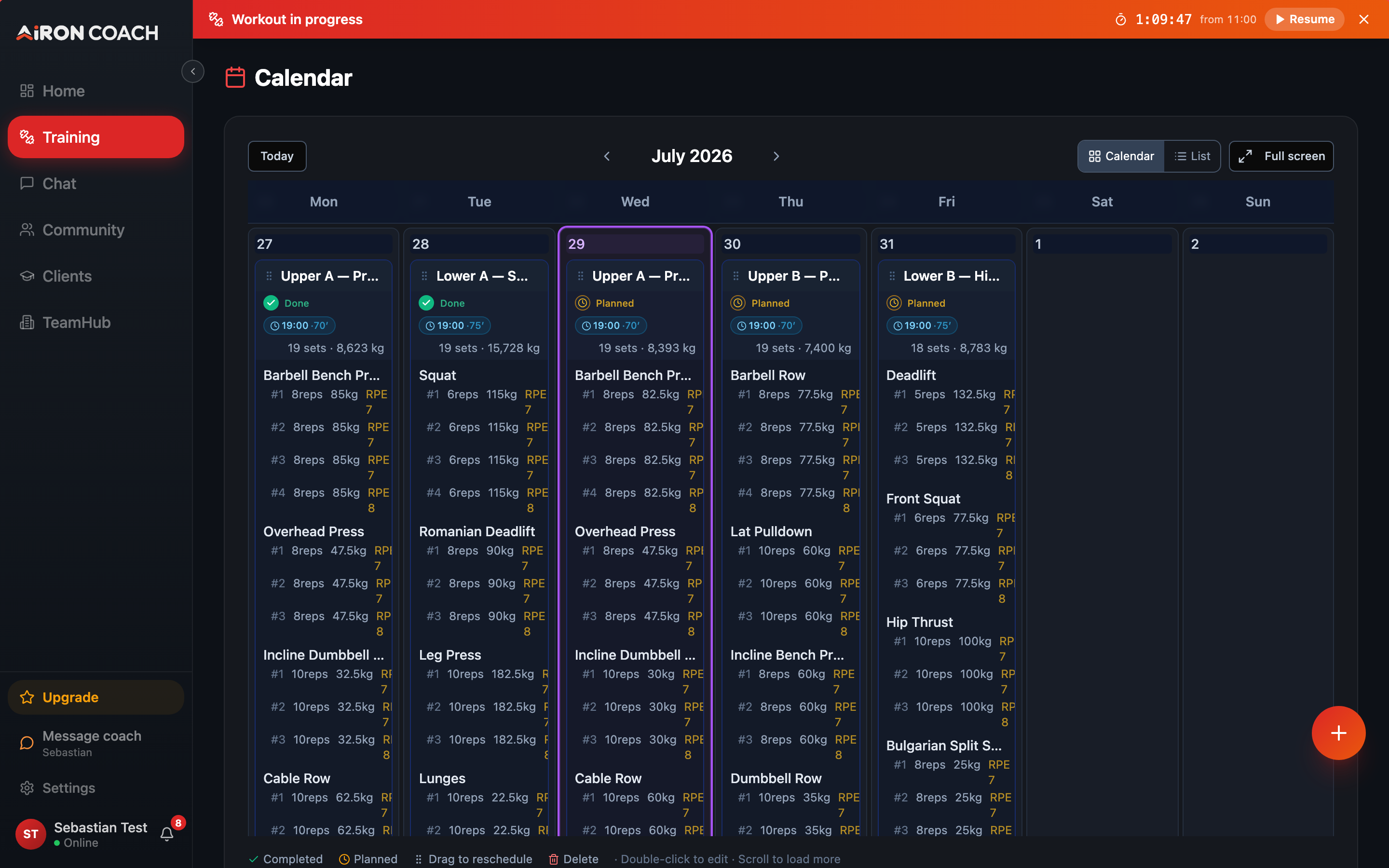
- Callout 1: Your training month
airon.coach · 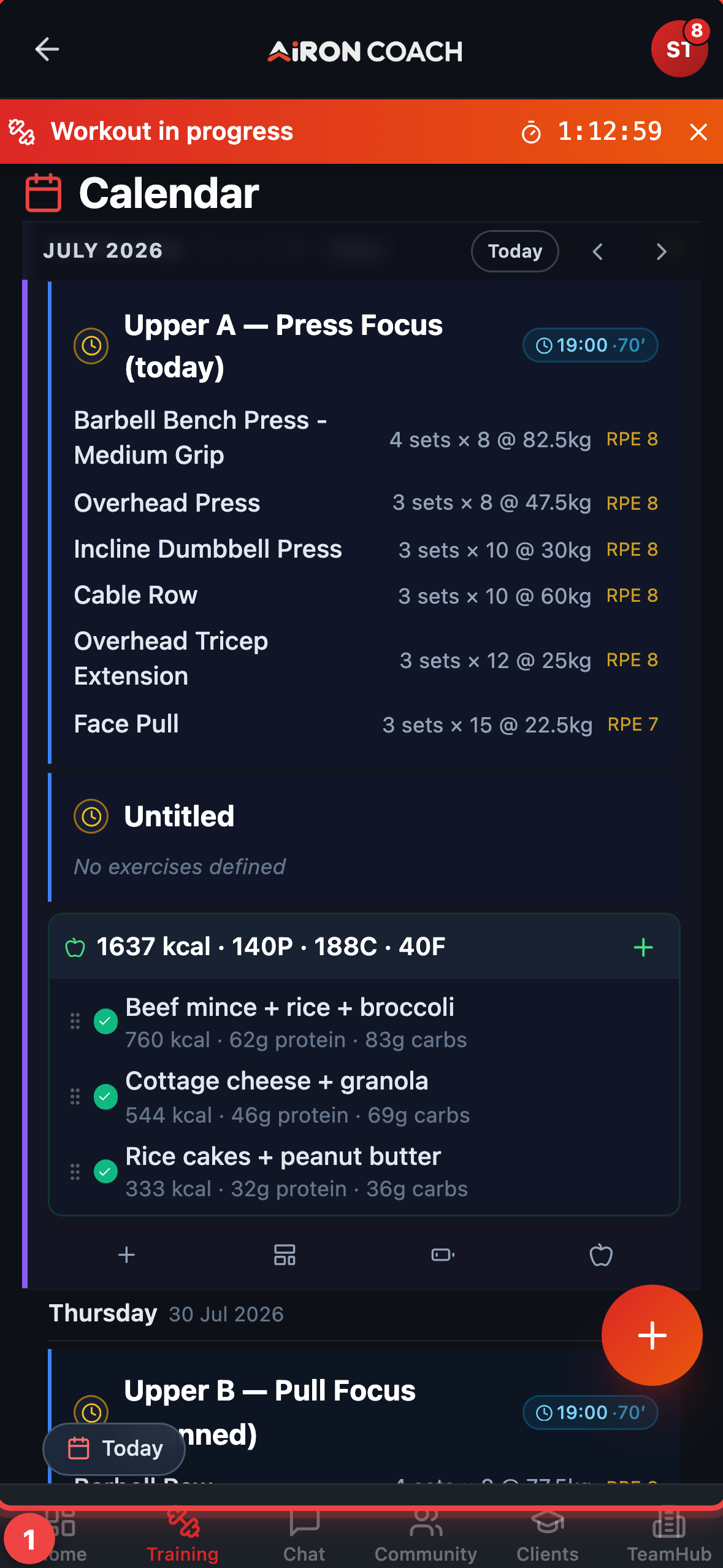
- Callout 1: Your training month
airon.coach · Use Import CSV from the calendar actions when you want to bring history in from a spreadsheet.
Templates and my exercises
Section titled “Templates and my exercises”- Build or apply templates from the Templates tab.
- Personal exercise variants live under My Exercises (
/MyExercises). - Open a finished session from the calendar for workout details (
/WorkoutDetails).
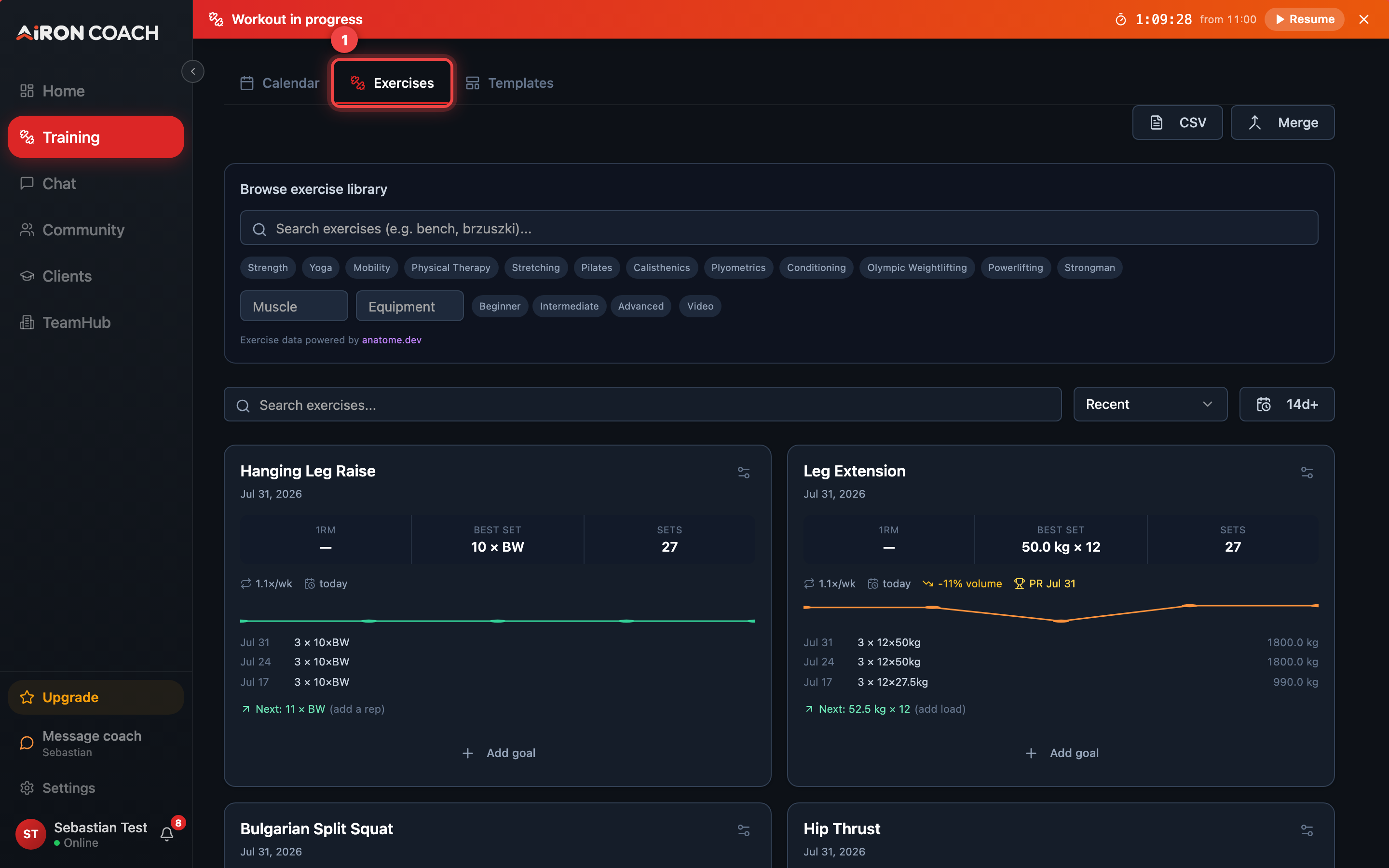
- Callout 1: Exercises tab
- Callout 2: Exercise library
airon.coach · 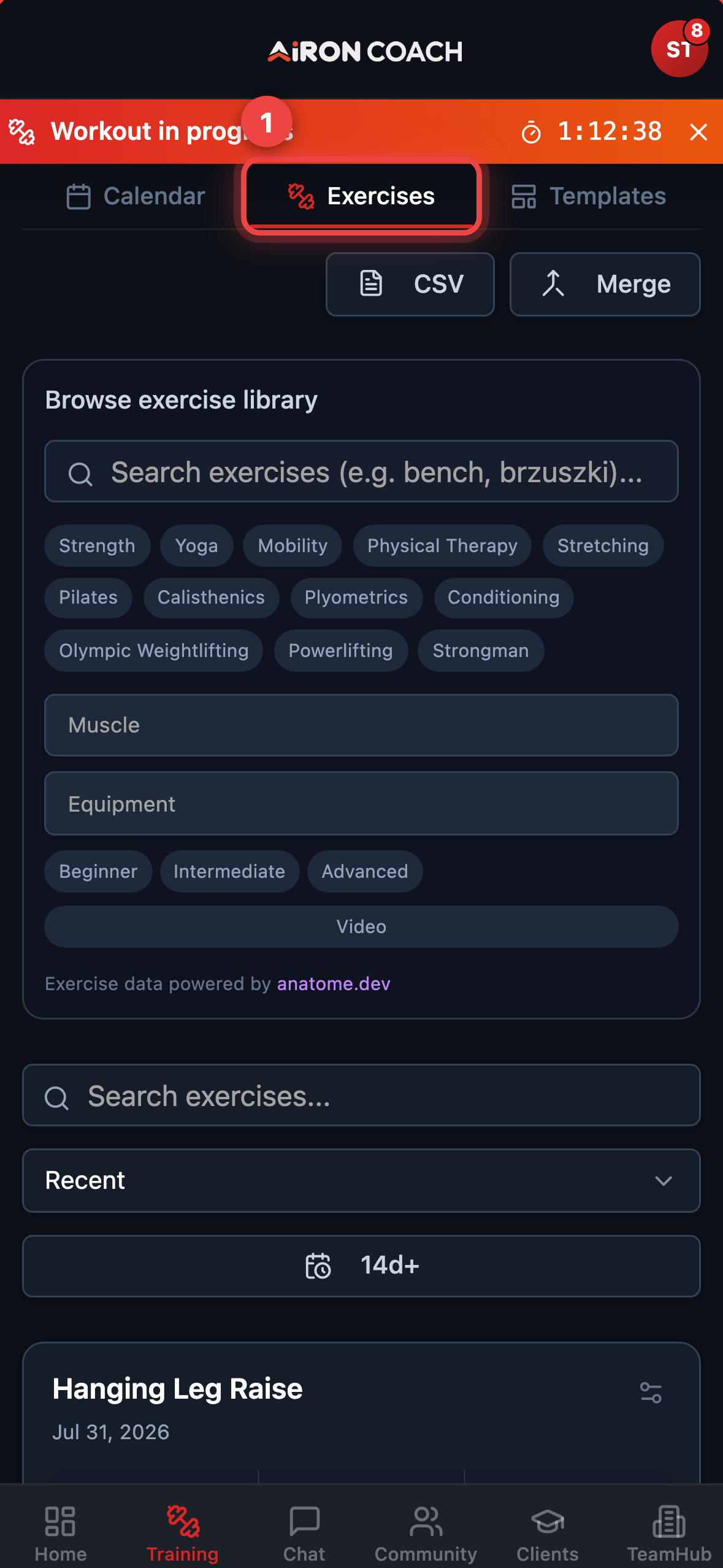
- Callout 1: Exercises tab
- Callout 2: Exercise library
airon.coach · 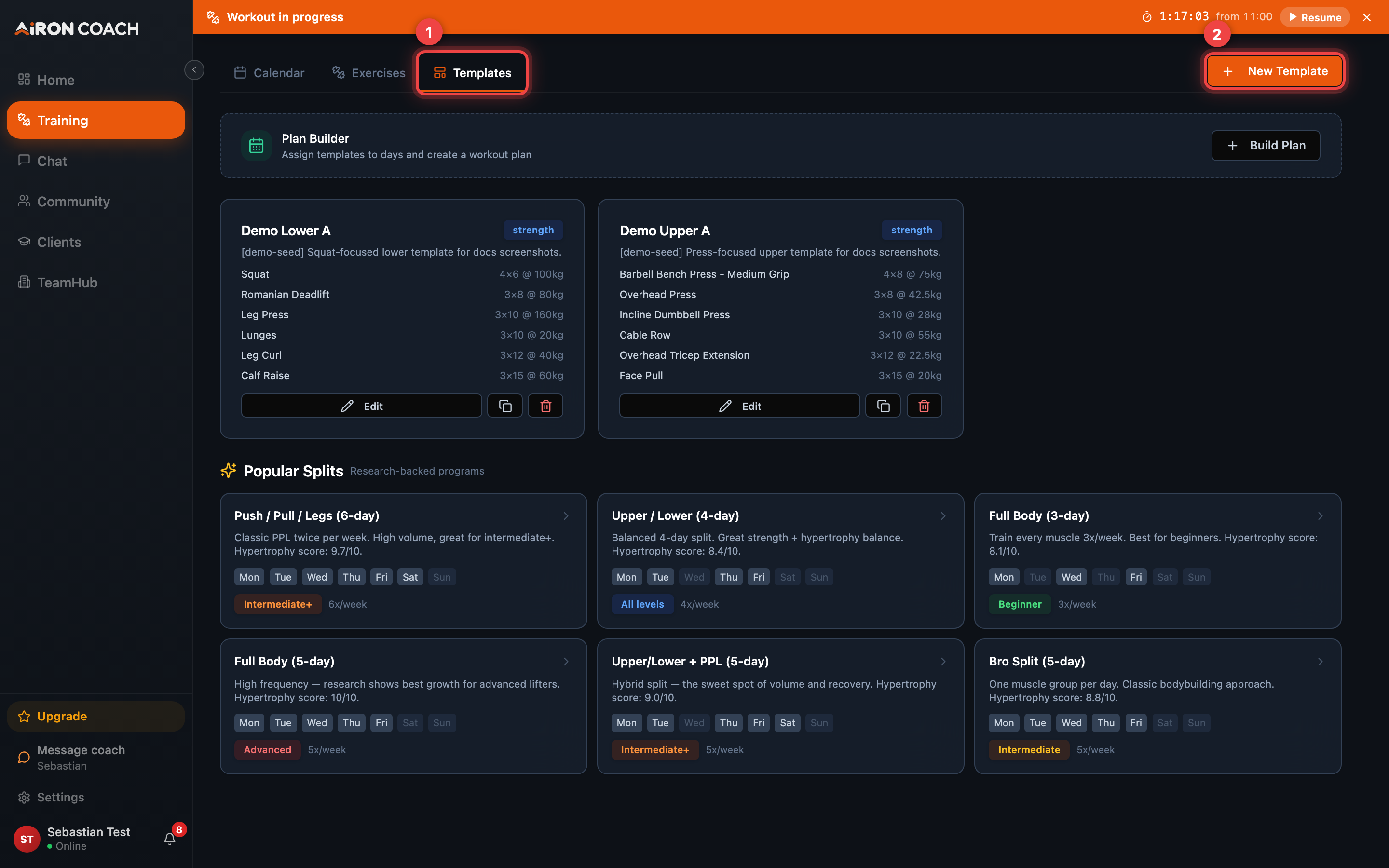
- Callout 1: Templates tab
- Callout 2: Create a new template
airon.coach · 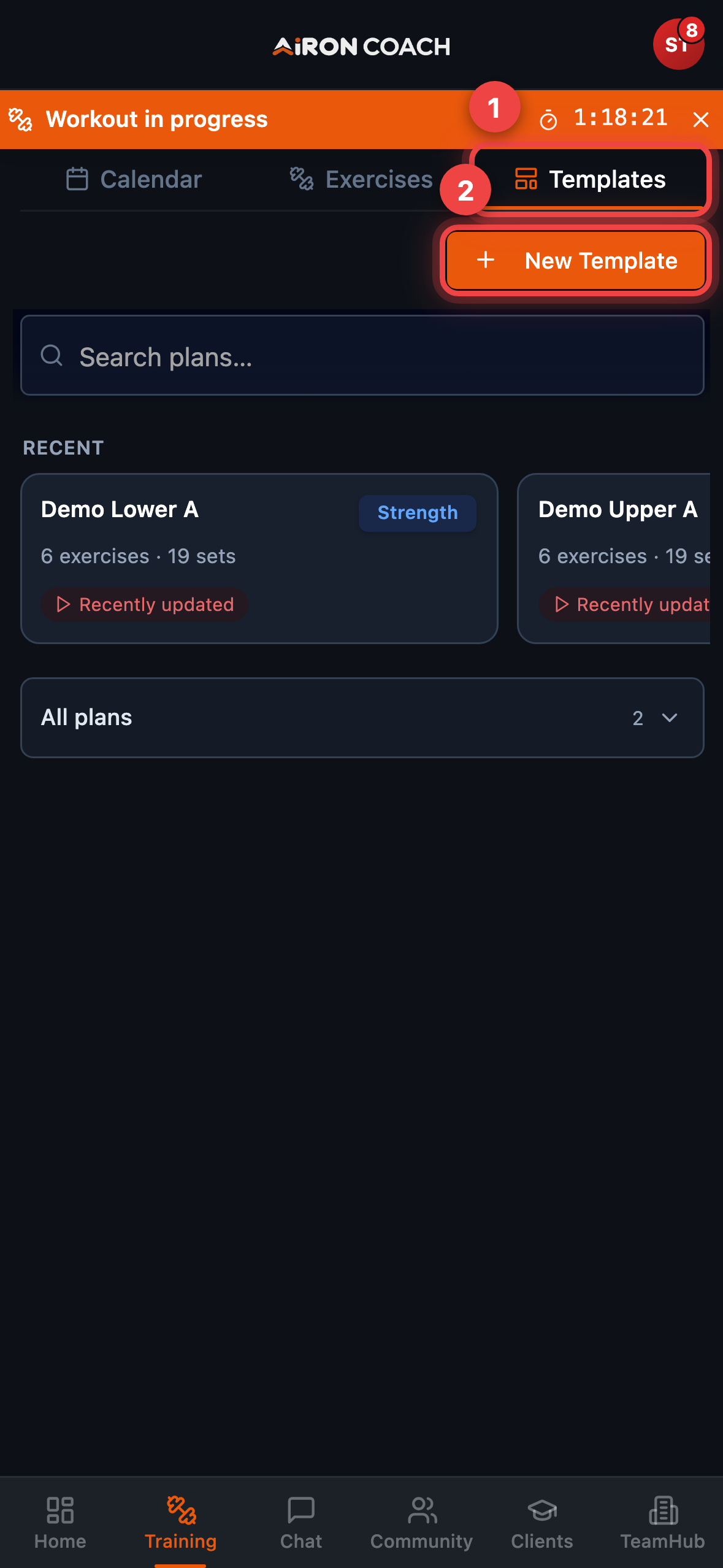
- Callout 1: Templates tab
- Callout 2: Create a new template
airon.coach · Legacy cardio page
Section titled “Legacy cardio page”Older cardio-only records may still open at /CardioDetails. New cardio is logged
inside the unified Training / Log Workout flow — do not look for a separate Cardio tab
in Training (it was removed).