Nutrition
Open Nutrition (/Nutrition) when the nutrition pillar is enabled. The hub is a
row of tabs:
| Tab | Purpose |
|---|---|
| Log | Today’s meals against macro rings |
| My Foods | Foods you saved |
| Recipes | Recipe browser (/Recipes also works) |
| Planner | Meal planning |
| Shopping | Shopping list (/ShoppingList) |
| Supplements | Supplement tracking |
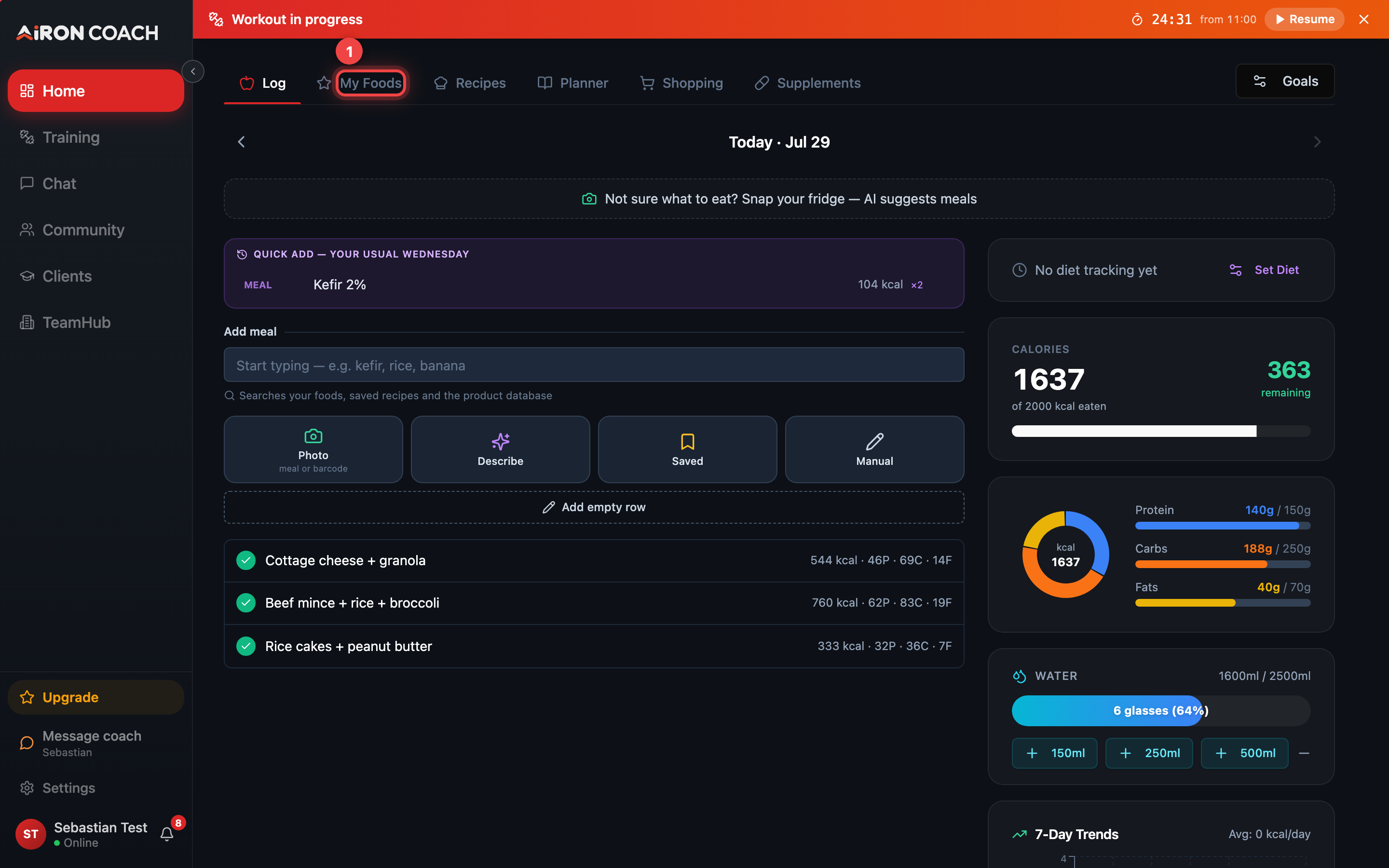
- Callout 1: Log, My Foods, Recipes, Planner, Shopping and Supplements
- Callout 2: Today's macros against your targets
airon.coach · · 9cb414d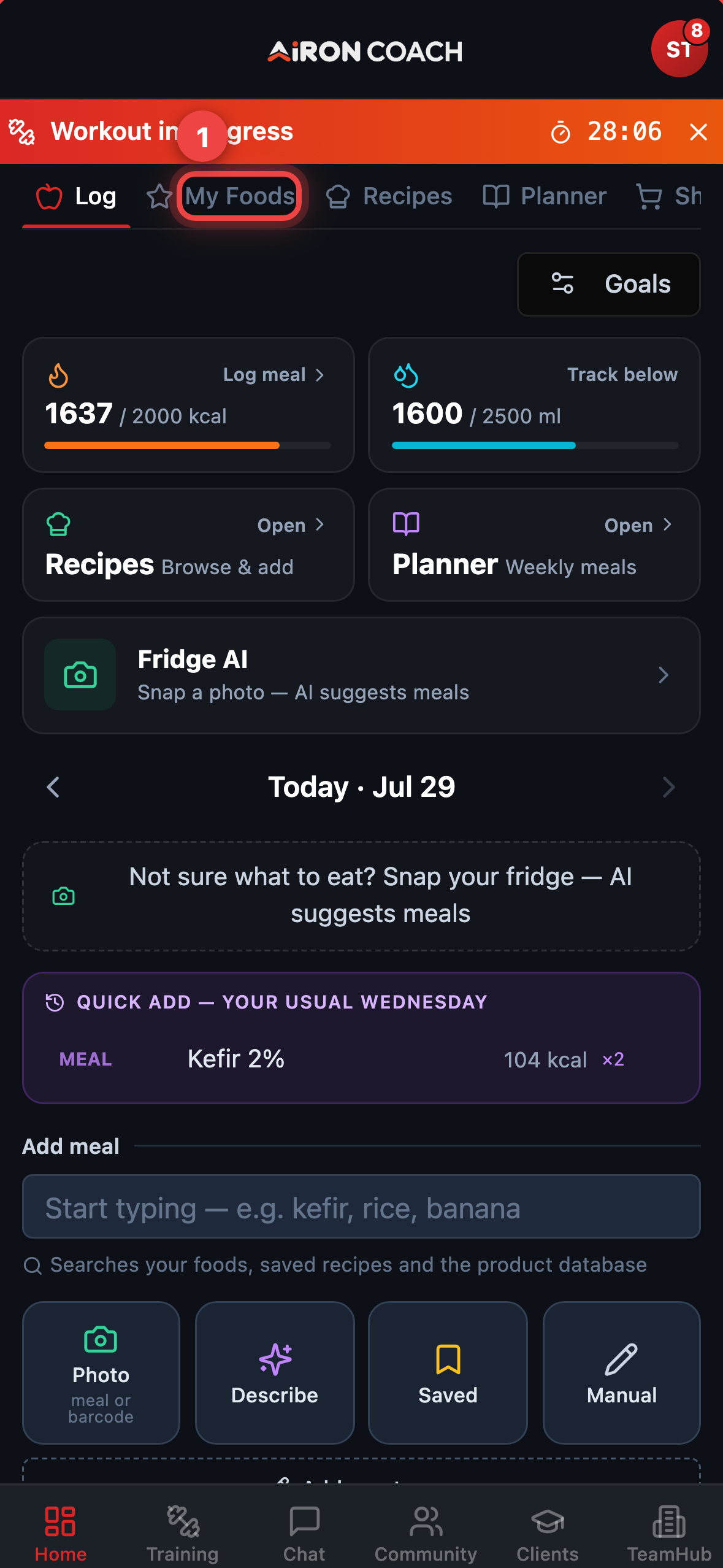
- Callout 1: Log, My Foods, Recipes, Planner, Shopping and Supplements
- Callout 2: Today's macros against your targets
airon.coach · · 9cb414dGoals and defaults
Section titled “Goals and defaults”Use Goals to set calorie and macro targets. Until you change them, the day view uses hardcoded defaults (2000 kcal, 150 g protein, 250 g carbs, 70 g fat). Onboarding does not derive these from your height and weight.
Logging food
Section titled “Logging food”Quick entry uses Log meal, then Barcode, Photo, or Manual. Step-by-step detail: Log a meal.
The AI coach can also propose a meal (foods + macros). Nothing lands in your log until you Apply on the Review log — same flow as training proposals.
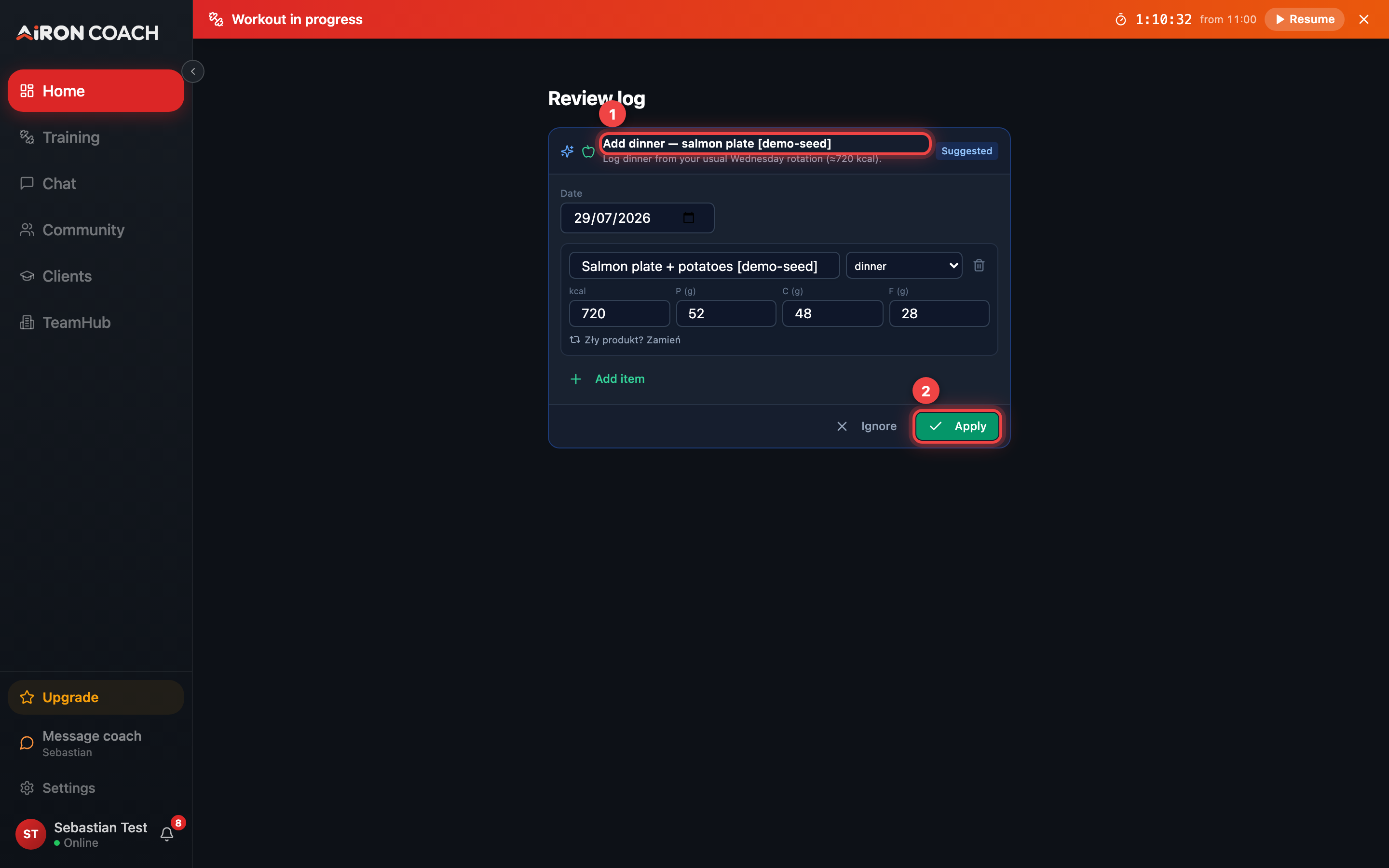
- Callout 1: Proposed meal with macros
- Callout 2: Apply to save the meal log
airon.coach · 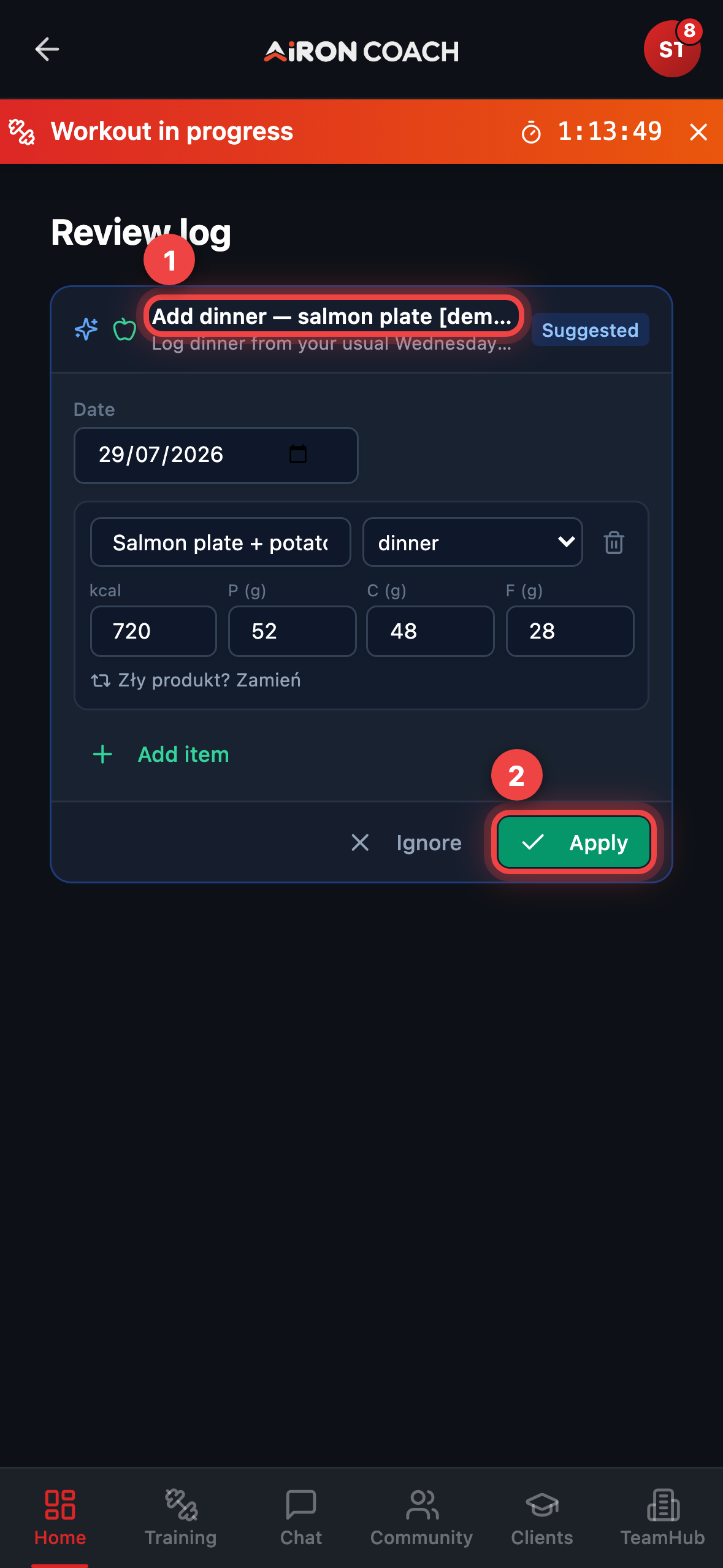
- Callout 1: Proposed meal with macros
- Callout 2: Apply to save the meal log
airon.coach · Fridge AI
Section titled “Fridge AI”Fridge AI takes a fridge photo and suggests meals you can make now. Generating ideas spends an AI credit (same monthly pool as the coach chat). Confirm portions before anything is saved to your log.
Shared recipe links
Section titled “Shared recipe links”Someone can send you a public recipe link at /r/:token. Opening it does not require
being logged in first; saving it into your library does.